Getting Started
What is Moonbounce?
Moonbounce is a Chrome extension that turns the internet into a multiplayer game. You can see people on the same site, chat, collect loot, customize a character, do quests, and explore with friends.
How do I install it?
Go to getmoonbounce.com
Click Add to Chrome
Approve the installation
Once installed, you’ll see the Moonbounce icon in your Chrome toolbar.
You can access the web app by going to moonbounce.gg
How do I pin the extension? (Important!)
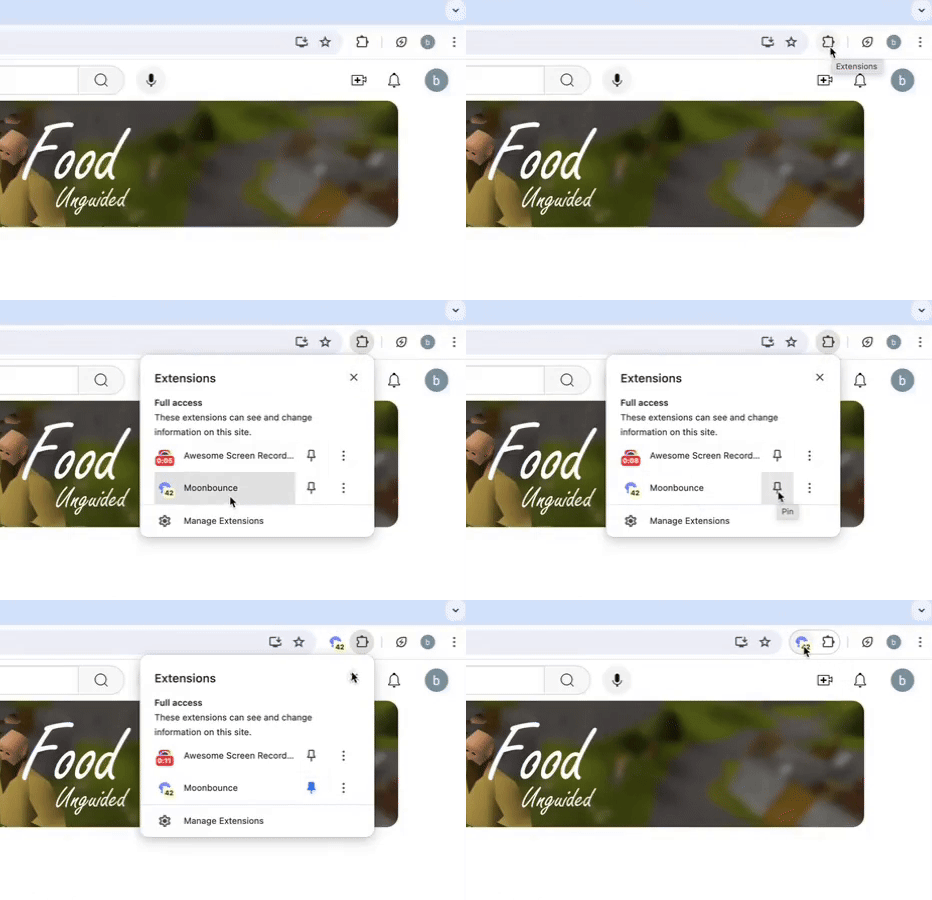
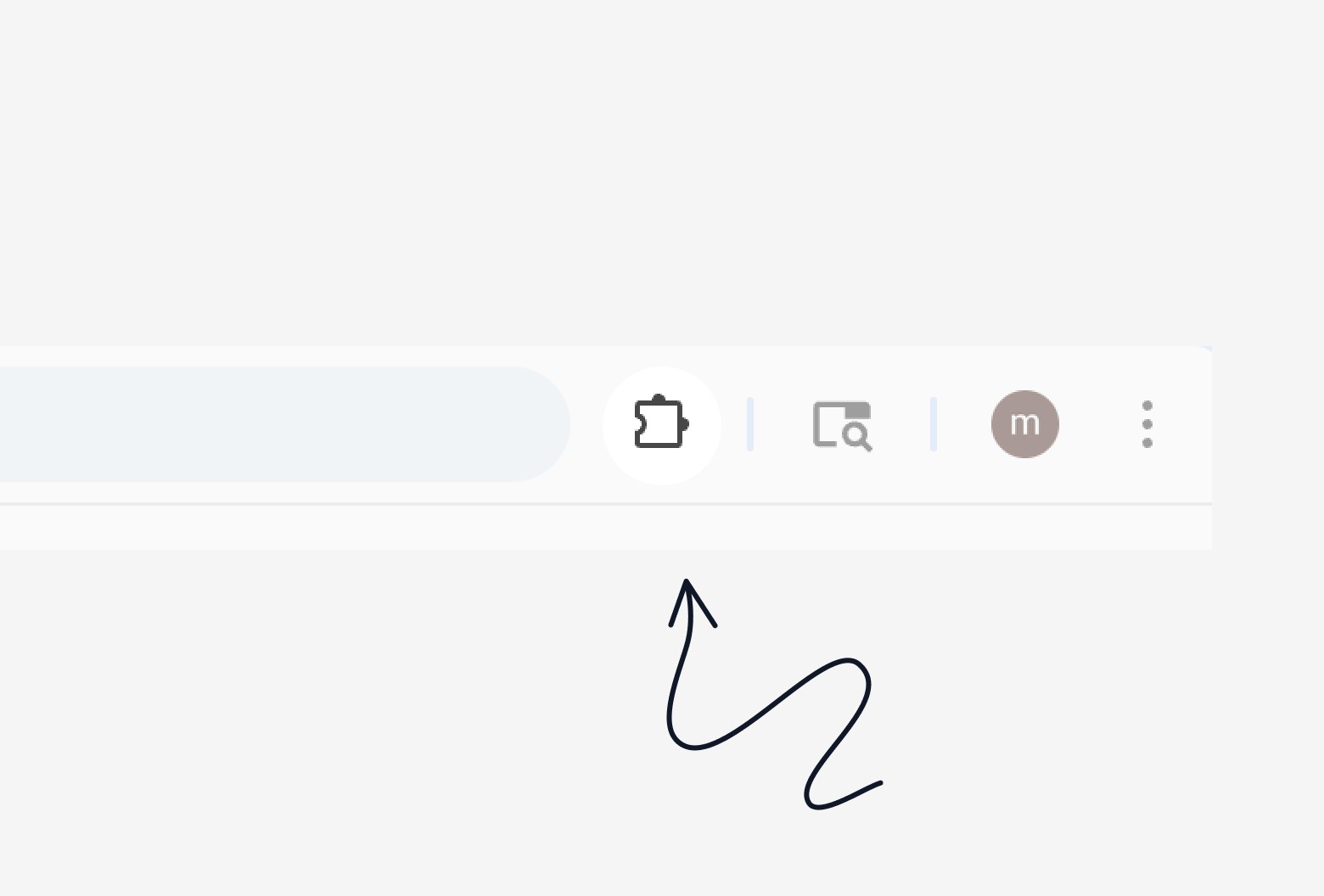
Click the puzzle piece icon in Chrome
Find Moonbounce
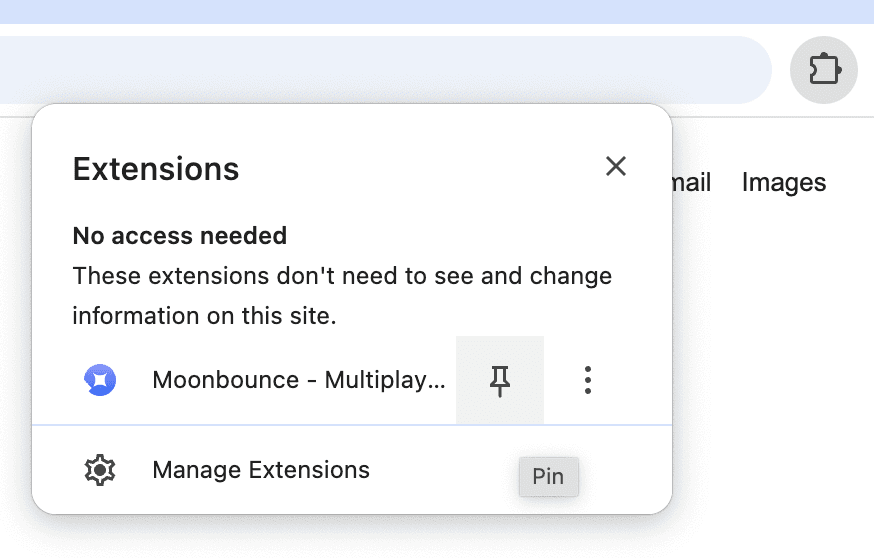
Click the pin icon
Moving and Chatting
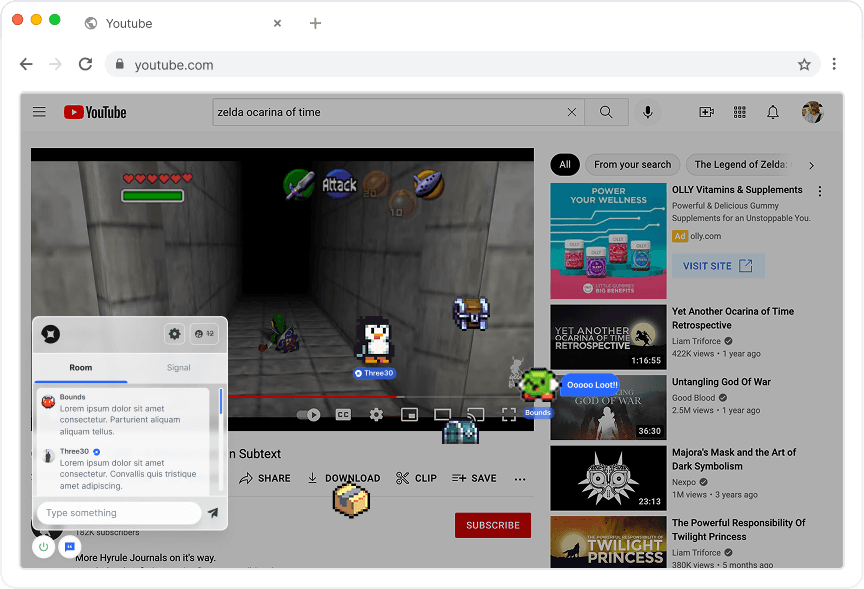
Arrow keys to walk around
Chat appears on the left
Click to type messages
Drag the icon buttons around anywhere on your screen
That's it — the controls are intentionally simple so it feels cozy and low-friction.
How do I turn Moonbounce on/off?
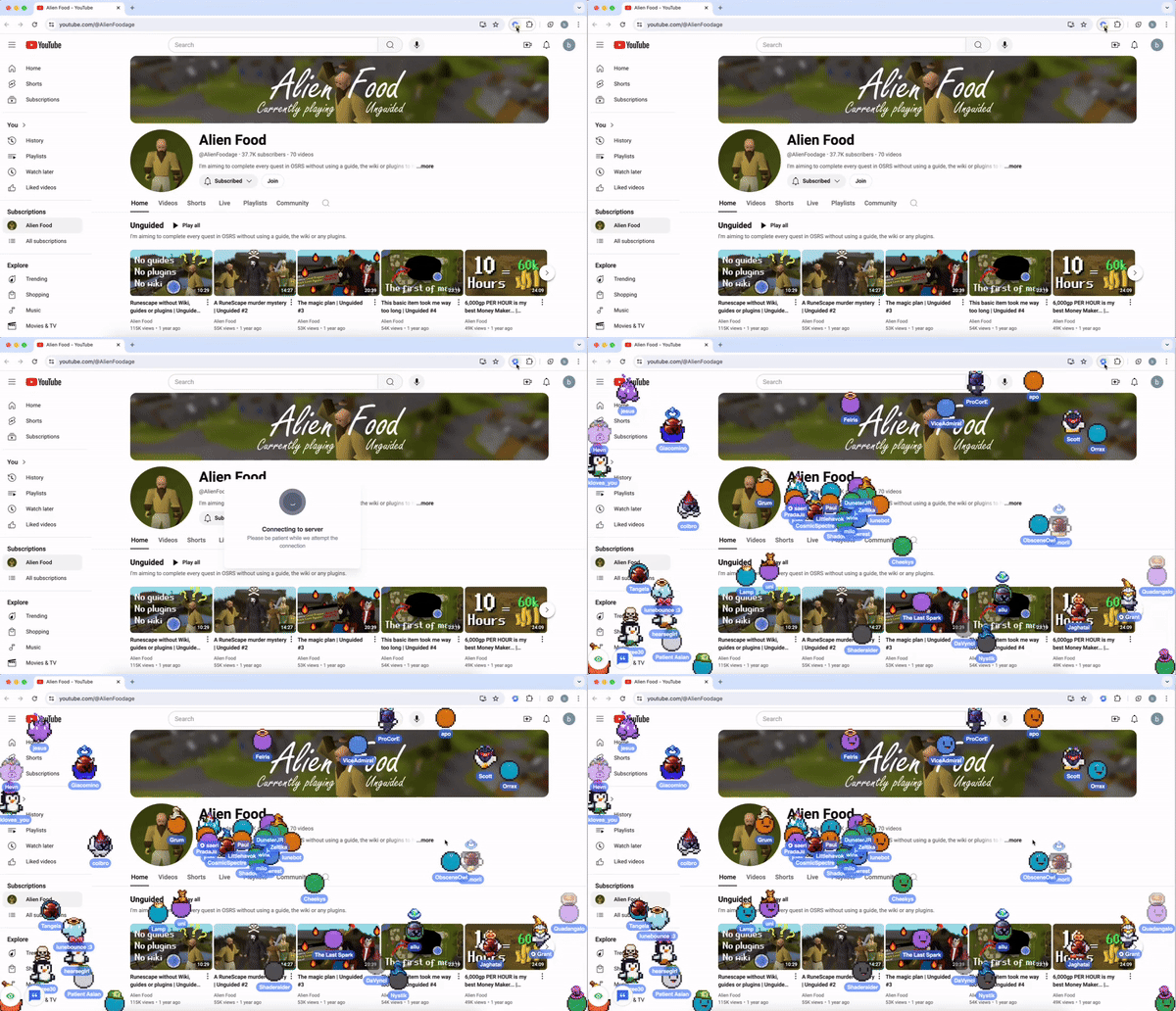
Moonbounce is off by default for your privacy. To turn it on: Click the Moonbounce icon on your browser toolbar on any site when you want to enter multiplayer mode. Turn it off the same way.




Ready to use Moonbounce?
Sign up now before all the cool handles are taken

moonbounce
Enter the multiplayer internet.
©2023 - Moonbounce Inc.